

What is Lazy Loading? A Foundational Primer
Before diving into ad-specifics, let's understand the core concept. Imagine a restaurant that prepares every single dish on its menu the moment it opens, just in case someone orders it. The kitchen would be overwhelmed, service would be slow, and a lot of food would go to waste. This is how a standard website loads its assets.
Lazy loading is like a smart, efficient restaurant that only cooks a dish when a customer actually orders it. It’s a performance optimization technique that defers the loading of non-critical resources until the moment they are needed. You’ve likely seen this with images—as you scroll down a long article, images appear just as they enter your screen.
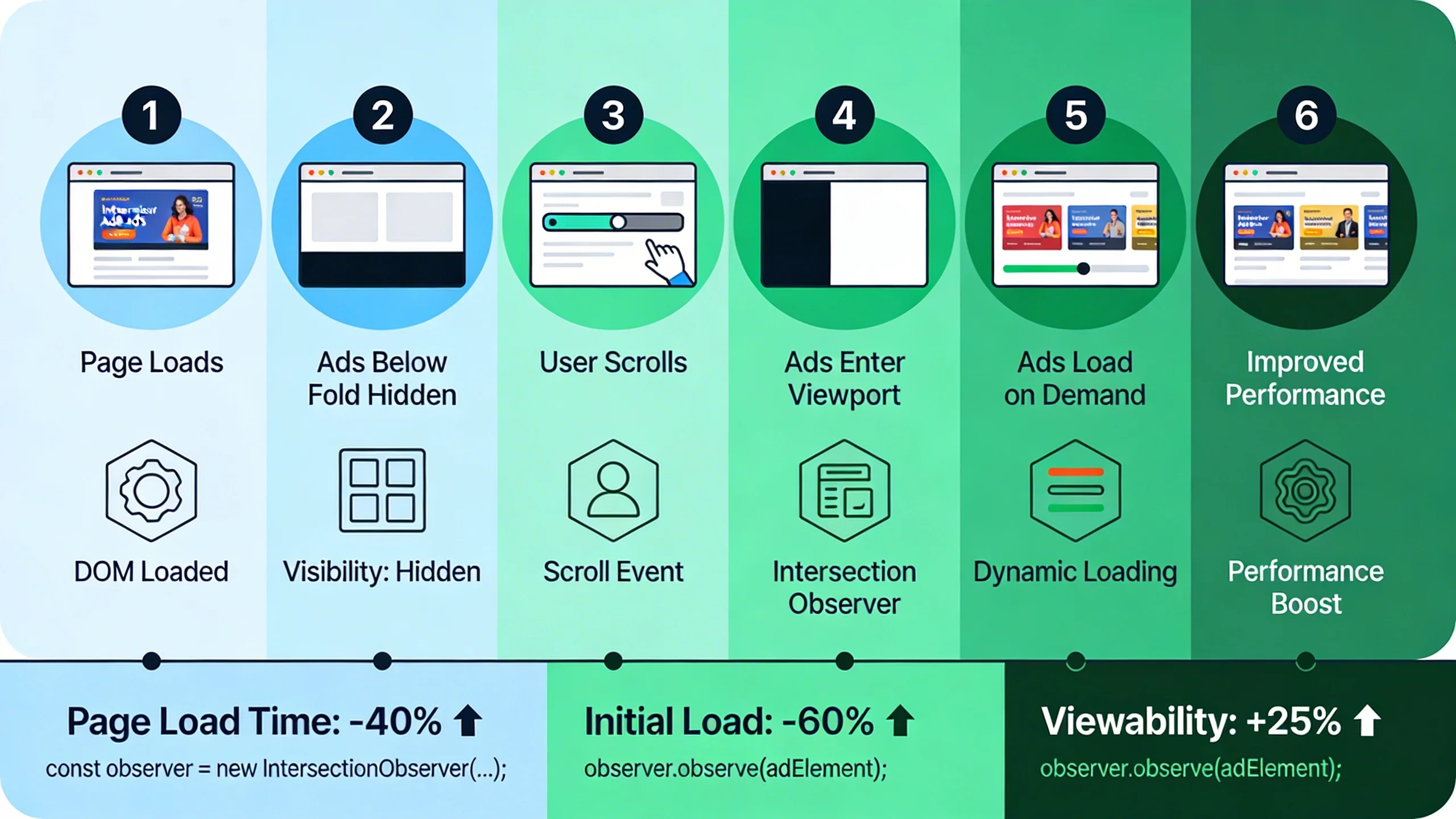
When we apply this to advertising, the principle is the same. Instead of requesting and rendering every ad slot on the page at the initial load, we instruct the browser to only fetch the ad creative and execute its scripts when that ad slot is about to enter the user's viewport. This simple change prevents dozens of unnecessary network requests, saving precious bandwidth and processing power for the content your user came to see.
Key Distinction: Lazy Loading vs. Asynchronous Loading (Async/Defer)
It's crucial to understand that lazy loading is not the same as asynchronous loading, although they both aim to improve performance.
- Async/Defer: These are attributes you can add to a script tag (
<script async src="...">). They tell the browser to download the script in the background without blocking the rendering of the main page content. While this is a vital first step for performance, the ad script and all its assets are still downloaded during the initial page load, consuming bandwidth and CPU time.
- Lazy Loading: This method takes it a step further. It prevents the ad resource from being downloaded at all until it's deemed necessary (i.e., it's close to the viewport). This is a far more powerful optimization for pages with multiple ad units below the fold.
| Feature | Async/Defer Loading | Lazy Loading |
|---|---|---|
| When it Loads | During initial page load, but doesn't block rendering. | Only when the user scrolls near the element. |
| Bandwidth Use | All ad resources are downloaded, whether seen or not. | Only visible (or soon-to-be-visible) ad resources are downloaded. |
| Best For | All scripts, especially those needed relatively early. | Below-the-fold resources like ads, images, and videos. |
| Primary Benefit | Prevents render-blocking. | Reduces initial page weight, saves bandwidth, and improves CWV. |
The "Why": Two Game-Changing Benefits of Lazy Loading Ads
Implementing lazy loading for ads isn't just a minor tweak; it's a strategic move that delivers two transformative benefits: a massive boost in site speed and a direct increase in ad revenue.
Part A: Turbocharging Site Speed & Core Web Vitals
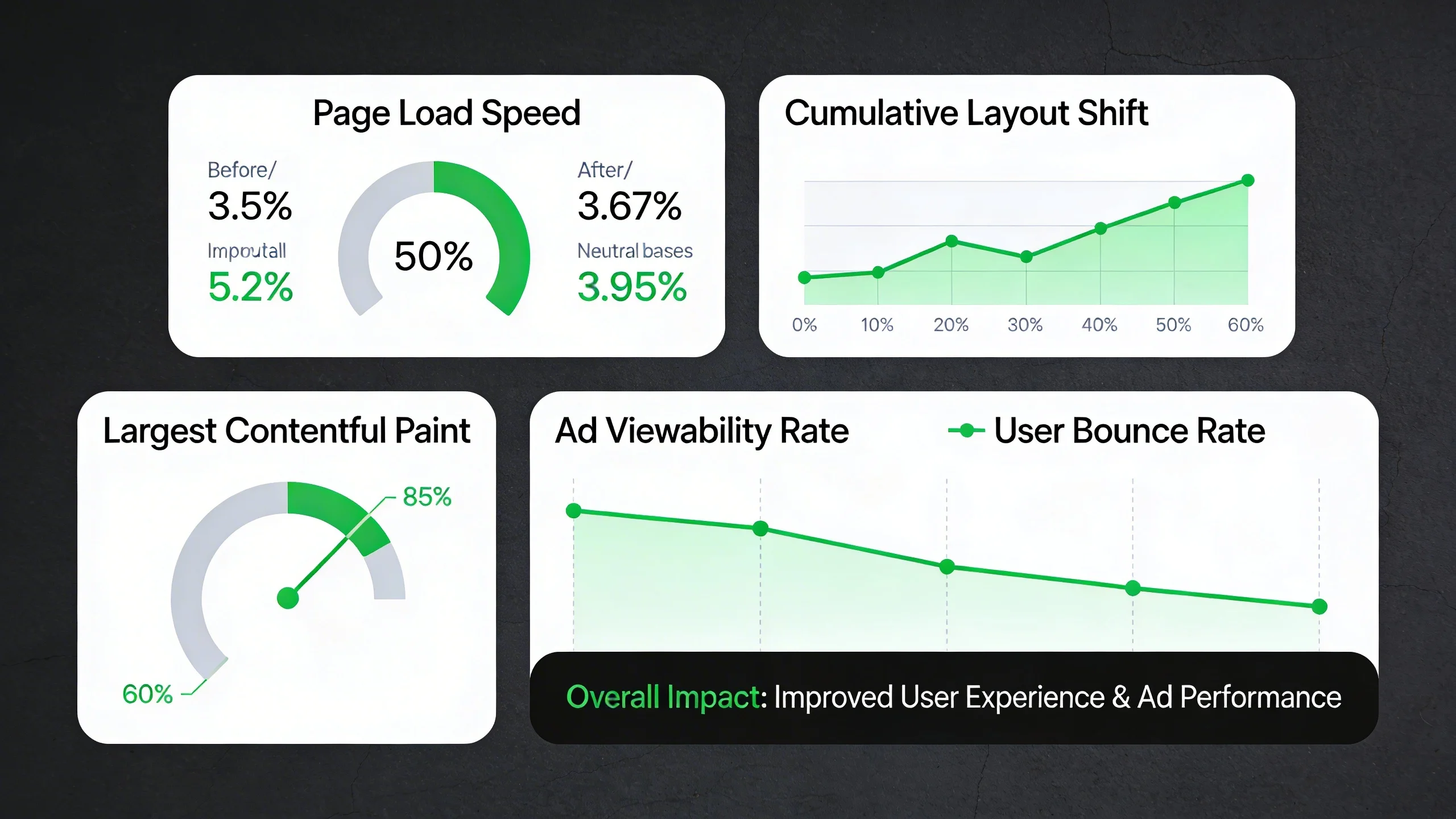
Heavy ad scripts are one of the biggest culprits behind slow websites. Each ad unit can trigger a cascade of network requests for JavaScript libraries, tracking pixels, and heavy creative assets, all of which compete for bandwidth and clog up the browser's main thread. Lazy loading directly mitigates this damage, leading to significant improvements in Google's Core Web Vitals (CWV).
Core Web Vitals (CWV) Breakdown
- Largest Contentful Paint (LCP): LCP measures how long it takes for the largest visual element on the screen to load. On a typical article, this is often a hero image or the main heading. When below-the-fold ads are loaded immediately, their network requests compete with these critical, above-the-fold elements for bandwidth. By lazy loading those ads, you free up the main thread and network connection to prioritize rendering your LCP element, leading to a much faster perceived load time and a better LCP score.
- Interaction to Next Paint (INP): Replacing First Input Delay (FID), INP measures a page's overall responsiveness to user interactions. Complex ad scripts are notorious for "long tasks" that block the main thread, making the page feel sluggish or unresponsive when a user tries to click a button or open a menu. Lazy loading defers the execution of these heavy scripts until after the page is interactive, ensuring a smooth and responsive user experience from the start.
- Cumulative Layout Shift (CLS): This is where lazy loading truly shines. CLS measures visual stability, penalizing pages where content "jumps" around as new elements load in. Ads are a primary cause of high CLS. When an ad slot is empty and an ad loads in moments later without the space being reserved, it pushes all the content below it down. By combining lazy loading with CSS that specifies a fixed size for your ad slot containers, you can virtually eliminate ad-related CLS. The space is reserved on page load, and the ad simply fills that reserved space when it becomes visible.
Part B: Maximizing Ad Viewability and Revenue
Site speed is only half of the equation. Lazy loading also has a direct and positive impact on your bottom line by dramatically improving ad viewability.
First, let's define Ad Viewability. According to the Interactive Advertising Bureau (IAB) standard, a display ad impression is considered "viewable" if at least 50% of its pixels are in the user's viewport for at least one continuous second.
The problem with standard ad loading is that every ad on the page—including the one in your footer—is loaded and counted as an "impression" the moment the page loads. If a user reads the first paragraph and leaves, that footer ad was served but never seen. This results in a low viewability score, which signals to advertisers that your inventory is low-quality.
Lazy loading completely flips this dynamic. By only loading an ad when it's about to be seen, you ensure that nearly every loaded impression becomes a viewable impression.
This directly connects to revenue in three powerful ways:
- Higher CPMs: Advertisers and ad networks pay premium rates (higher CPMs) for inventory with high viewability scores. They want to pay for ads that are actually seen by users, not just served to a browser.
- Increased Demand: In programmatic marketplaces like Google Ad Exchange, algorithms favor publishers with high-viewability inventory. A higher score makes your site more attractive, leading to more bids and higher overall ad revenue.
- Better Reporting: Your ad performance data becomes more accurate, reflecting genuine user engagement rather than phantom impressions.
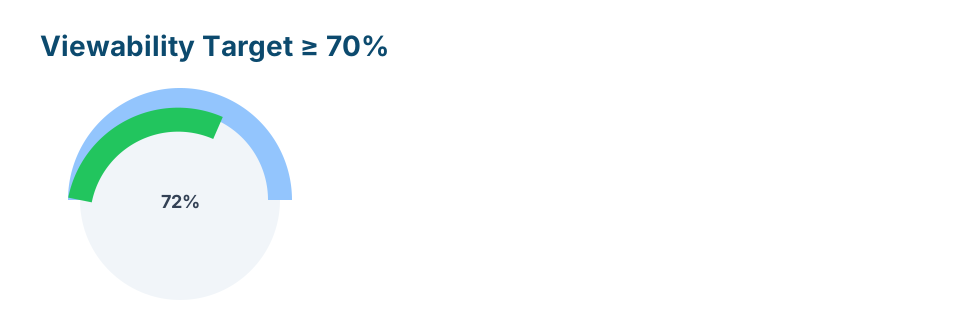
Pro Tip: Aim for a viewability score of 70% or higher. Lazy loading is the single most effective technical strategy to achieve this.
How to Implement Lazy Loading for Ads: A Practical Guide
Now for the actionable part. There are several ways to implement lazy loading for ads, catering to different ad servers and technical skill levels.
Method 1: Native Browser Lazy Loading (The Simple Start)
Modern browsers have a built-in lazy loading feature for iframes, which is how many simple ads are delivered. You can enable it by adding the loading="lazy" attribute.
<!-- Simple ad delivered in an iframe -->

<iframe src="https://ad-network.com/ad-creative.html"

        width="300"

        height="250"

        loading="lazy">

</iframe>
Crucial Caveat: This method is beautifully simple, but it has significant limitations. It's not supported by all ad networks, especially those that rely on complex JavaScript tags. Furthermore, it gives you very little control over when the ad loads; the browser decides the threshold, which may not be optimal for your layout or revenue strategy.
Method 2: JavaScript with the Intersection Observer API (The Professional Standard)
For robust and precise control, the Intersection Observer API is the gold standard. This modern browser API provides an efficient way to detect when a target element enters or exits the browser's viewport.
In simple terms, you can tell the browser: "Watch this empty ad container. When the user scrolls and it gets within, say, 300 pixels of the screen, run my ad-loading function."
Here is a simplified, well-commented JavaScript example:
// Select all your ad slots that need to be lazy-loaded

const lazyAdSlots = document.querySelectorAll('.lazy-ad-slot');


// Configuration for the observer

const observerOptions = {

  // Load the ad when it's 300px away from the viewport

  rootMargin: '300px 0px',

  // Trigger the callback only once

  threshold: 0

};


const adObserver = new IntersectionObserver((entries, observer) => {

  entries.forEach(entry => {

    // If the ad slot is intersecting (i.e., near the viewport)

    if (entry.isIntersecting) {

      const adSlot = entry.target;


      // Call your function to load the ad

      // This function would contain your googletag.display() or other ad network code

      loadAd(adSlot);


      // Stop observing this ad slot since it's now loaded

      observer.unobserve(adSlot);

    }

  });

}, observerOptions);


// Start observing each ad slot

lazyAdSlots.forEach(ad => {

  adObserver.observe(ad);

});


function loadAd(adSlot) {

  console.log('Loading ad for:', adSlot.id);

  // Your ad loading logic goes here. For GAM, it would be something like:

  // googletag.cmd.push(function() { googletag.display(adSlot.id); });

}
The key parameter here is rootMargin. This defines a "cushion" around the viewport, allowing you to fetch the ad just before it becomes visible, which prevents the user from seeing a blank space flicker into view.
Method 3: Platform-Specific Implementation (Most Relevant)
Most publishers use a dedicated ad server or platform. Fortunately, the best ones have built-in lazy loading features.
Google Ad Manager (GAM)
Google Ad Manager, the industry standard, offers a powerful and easy-to-use lazy loading API. You can enable it in the <head> section of your page where you define your Google Publisher Tag (GPT).
The key function is googletag.pubads().enableLazyLoad().
googletag.cmd.push(function() {

  // Define your ad slots here as usual

  googletag.defineSlot('/1234567/your_ad_unit', [300, 250], 'div-gpt-ad-1').addService(googletag.pubads());

  // ... more ad slots


  // Enable lazy loading with specific configurations

  googletag.pubads().enableLazyLoad({

    // Fetch the ad when it's 1 viewport away

    fetchMarginPercent: 100,

    // Render the ad when it's 0.5 viewports away

    renderMarginPercent: 50,

    // Recommended for mobile performance

    mobileScaling: 2.0

  });


  googletag.pubads().enableSingleRequest();

  googletag.enableServices();

});
This configuration gives you granular control, allowing you to fetch an ad earlier (to have it ready) and render it closer to the viewport.
Google AdSense
AdSense doesn't provide a simple on/off toggle for lazy loading. Therefore, the Intersection Observer API (Method 2) is the officially recommended approach for implementing lazy loading with AdSense ad units. You would wrap your (adsbygoogle = window.adsbygoogle || []).push({}); call inside the observer's callback.
WordPress Publishers
If you're on WordPress, you don't need to touch code. Several popular plugins handle this for you:
- Ad Inserter Pro: Offers robust lazy loading options, including integration with the Intersection Observer.
- Advanced Ads: Provides features to only load ads when the user scrolls down.
- Performance Plugins: Tools like WP Rocket or FlyingPress often include lazy loading for iframes and can be configured to target ad iframes, providing a simple, site-wide solution.
Best Practices and Common Pitfalls to Avoid
An "ultimate guide" must help you avoid mistakes. Implementing lazy loading incorrectly can harm revenue and user experience. Follow these critical rules.
1. NEVER Lazy Load Above-the-Fold (ATF) Ads
This is the most important rule. Ads that are visible without scrolling (e.g., a header banner or a top leaderboard) are your most valuable impressions. They should be loaded immediately with the page. Lazy loading them will delay their appearance, significantly hurting your impressions, viewability for that slot, and overall revenue. Only apply this technique to ads below the fold.
2. Set the Right Viewport Margin
Finding the perfect rootMargin or fetchMarginPercent is a balancing act.
- Too Small (e.g., 50px): A user scrolling quickly might see a blank ad container before the ad has time to load and render, creating a poor user experience.
- Too Large (e.g., 1000px): This defeats the purpose. The ad will load far too early, negating the speed and CWV benefits.
- Recommendation: Start with a margin of 200-400px (or a
fetchMarginPercentof 100 on GAM, which equals one viewport height) and test. Monitor your user experience and ad performance to find the sweet spot.
3. Prevent Cumulative Layout Shift (CLS)
We mentioned this before, but it's worth repeating: always define a fixed size for your ad slot containers in CSS. Before the ad script even loads, the space for it should be reserved on the page. This is as simple as adding a min-height to your ad container's CSS.
.ad-slot-container {

  display: block;

  min-height: 250px; /* Match the height of the ad creative */

  width: 300px;     /* Match the width of the ad creative */

  background-color: #f0f0f0; /* Optional: placeholder color */

}
This single step is one of the most effective ways to improve your CLS score.
4. Test and Measure Everything
How do you know it's working? You must measure the impact.
- Speed: Run tests on Google PageSpeed Insights or WebPageTest before and after implementation. Look for a reduction in initial network requests and improvements in your LCP, INP, and CLS scores.
- Viewability: After a few days, check your ad network's reporting dashboard. In Google Ad Manager, navigate to the viewability reports and compare the metrics for the lazy-loaded units to their historical performance. You should see a significant uplift.
Conclusion: A Faster, More Profitable Website
Lazy loading ads is no longer an optional tweak for performance junkies; it's a fundamental best practice for any modern publisher. By intelligently deferring ad requests, you create a clear win-win-win scenario.
- Your users win with a faster, smoother, and more stable browsing experience.
- Your SEO wins with demonstrably better Core Web Vitals scores, a key ranking factor for Google.
- Your revenue wins through dramatically higher ad viewability, leading to premium CPMs and increased demand for your inventory.
It’s a rare strategy that simultaneously improves user experience and monetization.
Start by auditing your below-the-fold ad units today. Implement lazy loading on a single ad slot, measure the impact, and roll it out across your site to unlock a faster, more profitable web experience.
---
Frequently Asked Questions (FAQ)
1. Will lazy loading hurt my ad revenue?
No, when implemented correctly, it should significantly increase your ad revenue. By not loading ads that are never seen, you might see a slight drop in total "impressions," but your "viewable impressions" will skyrocket. Since advertisers pay much more for viewable ads, your overall CPM and revenue will increase. The key is to never lazy load above-the-fold ads.
2. Does lazy loading for ads work on mobile devices?
Yes, and it's even more critical on mobile. Mobile networks are often slower and less reliable, and device CPUs are less powerful. Reducing the initial page weight and deferring script execution by lazy loading ads has a much more pronounced positive effect on mobile performance and Core Web Vitals.
3. What's the difference between lazy loading and refreshing ads?
Lazy loading is about the initial loading of an ad; it defers the load until the ad slot is near the viewport. Ad refreshing (or auto-refresh) is a separate technique where an ad slot re-loads a new ad after a certain trigger, such as a set amount of time (e.g., 60 seconds) or a user action. The two can be used together but solve different problems.